menu

In the last month, talk about ShopMy, the affiliate marketing platform where creators can curate their own collections and share products they love to make commission on any sales, has skyrocketed. There was a little controversy at LTK (another popular affiliate marketing platform), and creators are just looking to diversify their income. If you’re creating content over there and want to make more affiliate income AND post on Pinterest consistently, this is the blog post for you. I’ll help you create a simple content repurposing workflow so you can post on both ShopMy and Pinterest more efficiently.
This works great for all bloggers, influencers, content creators or even just ShopMy curators… whoever creates content and shares affiliate links on the platform and wants to give the content they create a second, third, fourth, fifth life.
Let me help you turn one piece of content into become multiple ShopMy posts AND multiple Pins without doubling your workload.
You’ve heard this over and over, but Pinterest isn’t just another social media platform. It’s a powerful visual search engine. Unlike Instagram or TikTok, Pins remain discoverable for months (even years) after posting, giving your ShopMy content long-term exposure.
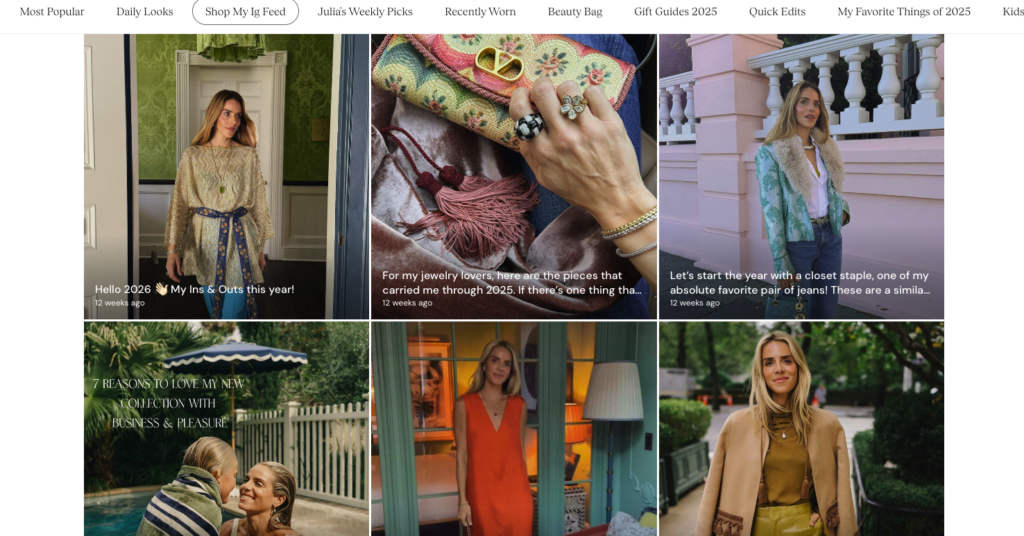
Before we get into the workflow, it helps to understand how ShopMy is actually organized, because once it clicks, you’ll see exactly why it pairs so well with Pinterest.
ShopMy is built around three main elements:
There’s also a fourth content type worth knowing about: shoppable Posts. This is where you connect an existing Instagram, TikTok, or YouTube post directly to your ShopMy shop and tag the products featured in it. It creates a shoppable social media feed right inside your shop, and it’s one of the features that makes ShopMy especially easy to repurpose for Pinterest.
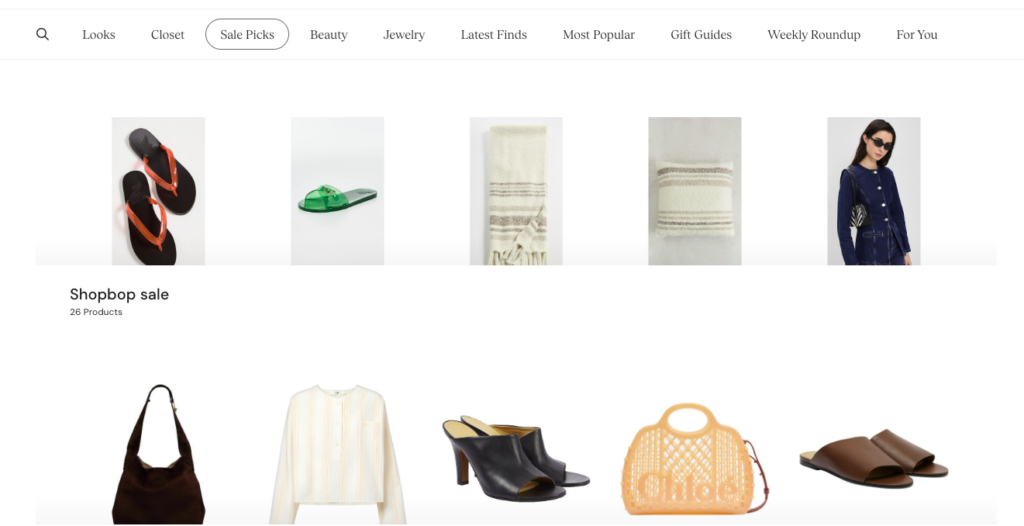
Because every collection and every shoppable post on ShopMy has its own link. That means instead of just pointing people to your shop homepage and hoping they find what they want, you can send Pinterest traffic directly to the exact collection that matches what your Pin is about. Someone clicks a Pin about “cozy living room decor”? Send them straight to your Home Decor collection. Promoting a specific outfit? Link to that exact collection.
It’s a much warmer handoff than dumping someone on a homepage, and it means you can start driving ShopMy traffic from Pinterest even if you don’t have a blog yet.
Here’s something worth understanding about the person on the other end of your Pin: they have no idea who you are. A Pinner’s journey starts with a problem, a question or a craving for inspiration. They open Pinterest, search something broad, let the algorithm narrow it down, scroll until something stops them, click to see more and then click again to actually get the information they came for.
They’re not looking for you specifically. They’re looking for the answer, and you just happen to have it. That’s why the content waiting for them on the other side of that click has to deliver real value, not just a product grid. A ShopMy collection is beautiful and shoppable, but it doesn’t have enough context to warm up someone who has never heard of you before. There’s no story, no explanation, no reason for them to trust your recommendation over anyone else’s.
That’s why my number one recommendation is still to promote blog posts that contain your ShopMy links NOT the collection links alone.
And here’s the other reason I’ll never stop saying this: always point people to the part of the internet you own. Pinterest will send traffic to wherever you link it for years. If ShopMy changes something, rebrands, or goes away entirely, any Pin pointing directly to your ShopMy collections loses its value overnight. But if that traffic is going to your website? It’s yours forever.
The difference becomes obvious when you think about what you can actually do with a new visitor. Someone lands on your blog post “10 Fall Dresses to Wear to a Wedding” and you can:
Someone clicks a Pin that goes straight to your ShopMy collection and you can:
That’s it. One opportunity versus four. The blog post wins every time.
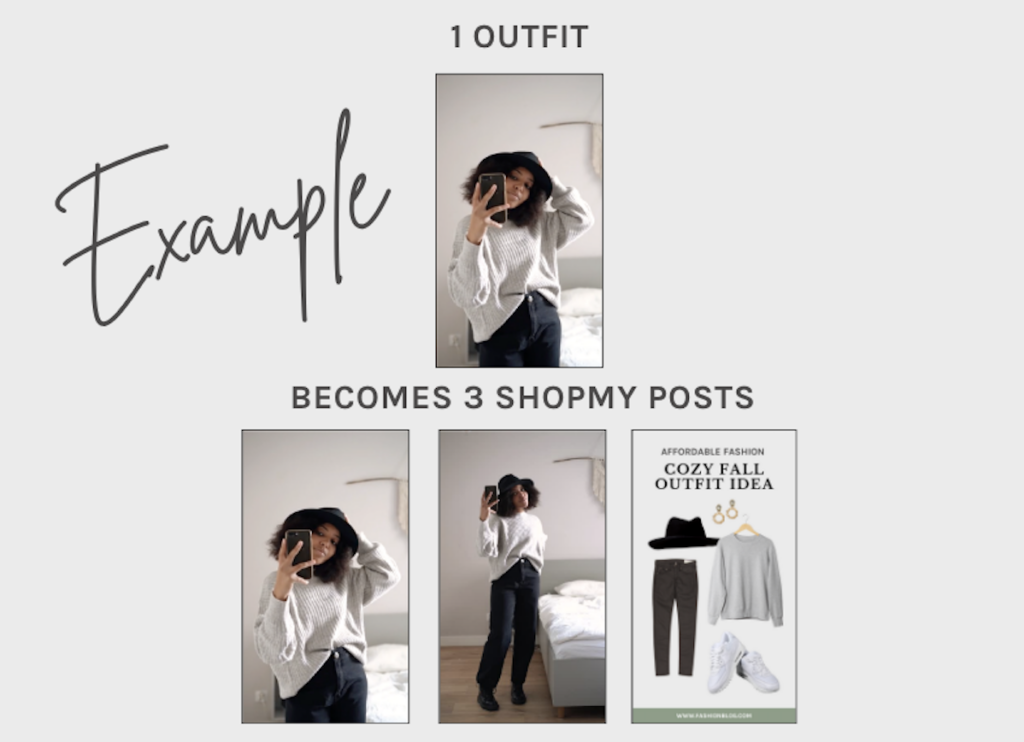
My favorite way to explain things is with an example so that we can more clearly understand the workflow for creating ShopMy collections Pins in a strategic, efficient way. Let’s say you’re a fashion blogger that has an outfit you want to share.
Result: One outfit = 3 ShopMy content pieces + 3 Pins (before you even add a blog post)
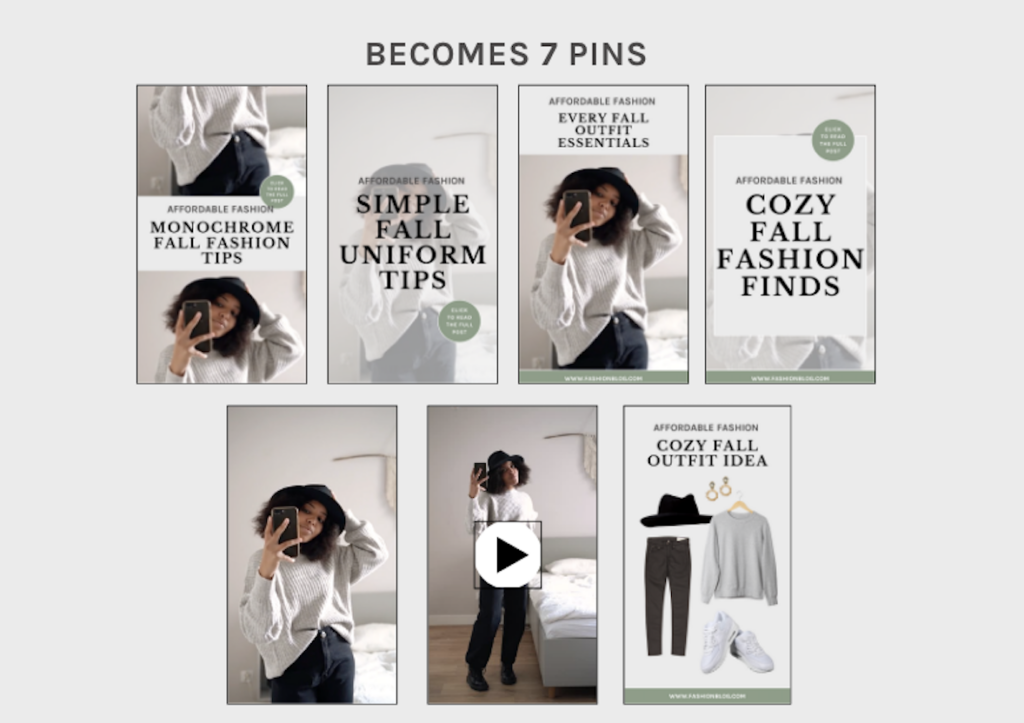
If you add a blog post: One outfit = 3 ShopMy pieces + 7 Pins
Pinterest recommends a 2:3 aspect ratio (e.g., 1000 x 1500 pixels). This size ensures your Pins stand out without being cut off in feeds. Use this size for both your lifestyle photos (outfit photos, skincare flatlay, etc.) and your custom, branded Pin graphics. If you automatically do this for ShopMy you’re more quickly able to repurpose it to Pinterest.
When creating graphics to promote your ShopMy post further use Canva to create Pin templates that you can reuse. Make sure your design includes:
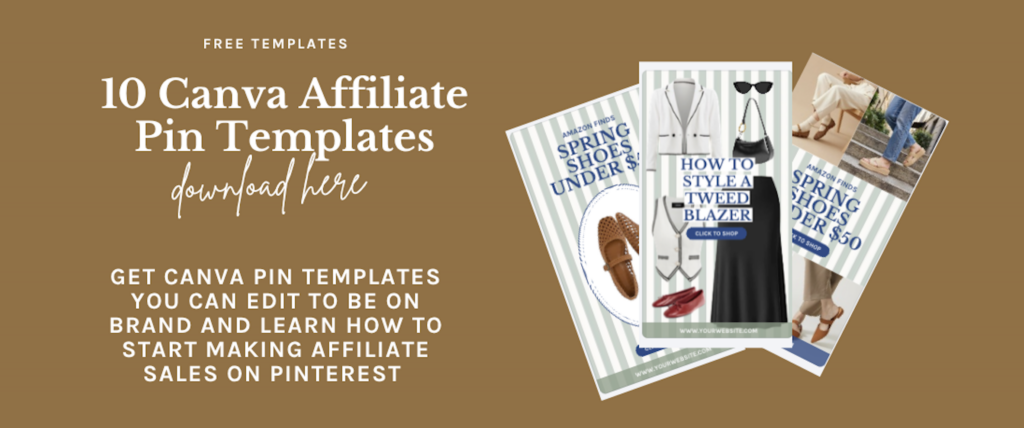
You should also create product collage Pins like this one using the background remover tool on Canva. OR skip all of that and download my free affiliate pin templates…
Your Pin titles and descriptions should include keywords that match what your audience is searching for. Leave out brand names and other specifics that might narrow down your audience too quickly. Think about what they would be searching for where your content would be the solution.
For example:
ShopMy collections are already built for roundup, so use this to your advantage. Make a roundup blog post with ShopMy outfits for that season, an occasion, with an article of clothing, etc. Doesn’t have to be intense to be a blog post that Pinterest users will be interested in clicking on. They love roundups like “10 maxi dress vacations outfits,” “5 ways to wear barrel jeans,” “6 simple brunch outfits,” etc. This gives every individual outfit inside even more of an opportunity to be found and shopped.
Seasonality matters on Pinterest. Plan your content 60-90 days in advance. For example:
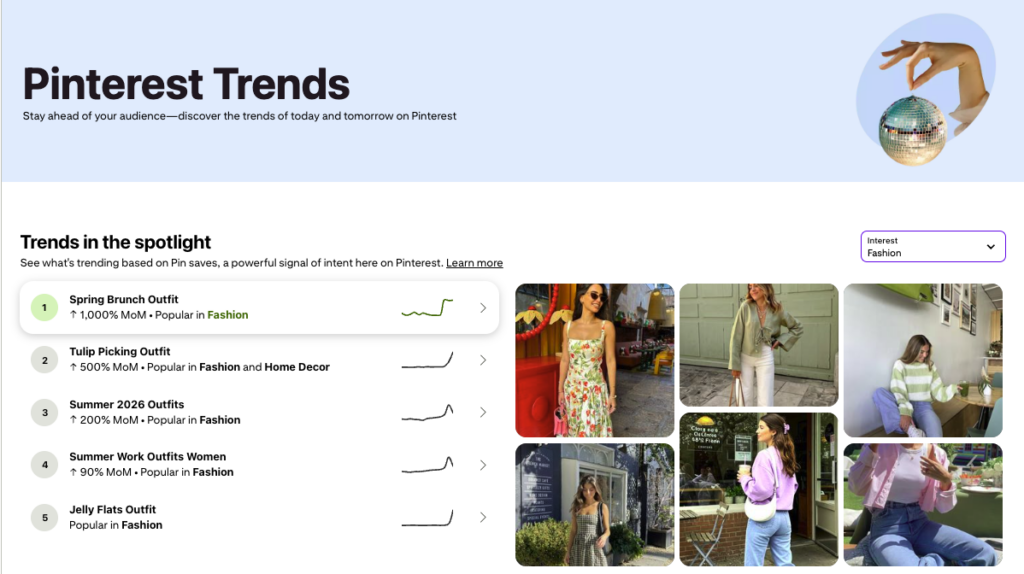
Use trending keywords and themes to boost discoverability. The Pinterest Trends tool is a great way to find out when specific keywords historically peak in your niche. We also send weekly Pinterest trend reports to our Pinterest for Bloggers newsletter subscribers. These include growing trends so you know what’s on its way up.
Pinterest Analytics provides insights into Pin performance. When looking at affiliate content that you’re posting on Pinterest, you want to measure both the analytics on Pinterest and the conversion insights on ShopMy.
On the Pinterest side, focus on:
On the ShopMy side, focus on:
What are the best dimensions for ShopMy content I want to repurpose on Pinterest?
Pinterest recommends a 2:3 aspect ratio (1000 x 1500 pixels) for static Pins, and the same dimensions work well for video too. The good news is that if you’re already shooting vertical content for your ShopMy posts and shoppable Posts, you’re basically done. Build the habit of shooting and editing at this size from the start so that repurposing to Pinterest requires zero extra effort.
How do I share a ShopMy collection link on Pinterest?
Every collection on ShopMy has its own unique URL. To grab it, navigate to the collection you want to promote, copy the link, and use that as the destination URL when you create or schedule your Pin. This sends Pinners directly to the specific collection your Pin is about rather than your shop homepage, which makes for a much smoother experience and a shorter path to the sale.
Should I link my Pins directly to ShopMy or to my blog?
Your blog, whenever possible. Pinterest traffic is cold traffic… those users don’t know you yet, and a blog post gives you the space to actually connect with them, provide value, and give them a reason to trust your recommendations. A ShopMy collection is a great destination if you don’t have a blog post to go along with a specific collection yet, but make building out those blog posts a priority. You’ll get more out of every Pin in the long run.
What types of ShopMy content perform best as Pins?
Vertical photos with text overlay and product collages tend to perform really well because they’re visual and immediately communicate what’s being sold. Short videos are worth repurposing only if you’re already doing them. I wouldn’t add them on for the sake of Pinterest (as they tend to get impressions and not outbound clicks).
I need to disclose affiliate links on Pinterest when using ShopMy?
Yes,and I want to be upfront that I’m not a lawyer, so please do your own research here. My understanding is that including #ad in your Pin description is a common way to disclose that your link is commissionable. You can also add a disclosure directly onto your Pin graphic. When you’re linking to a blog post rather than directly to ShopMy, make sure your disclosure is visible on the blog post itself as well.
Can I use ShopMy if I don’t have a blog?
Absolutely. ShopMy works well for creators at every stage. You don’t need a website to build a shop, create collections, or start driving traffic from Pinterest. If you don’t have a blog yet, focus on creating strong collection pages with clear themes and link your Pins directly to those. Just know that adding a blog into the mix later will significantly increase what you’re able to do with the traffic Pinterest sends you.